PrintKit
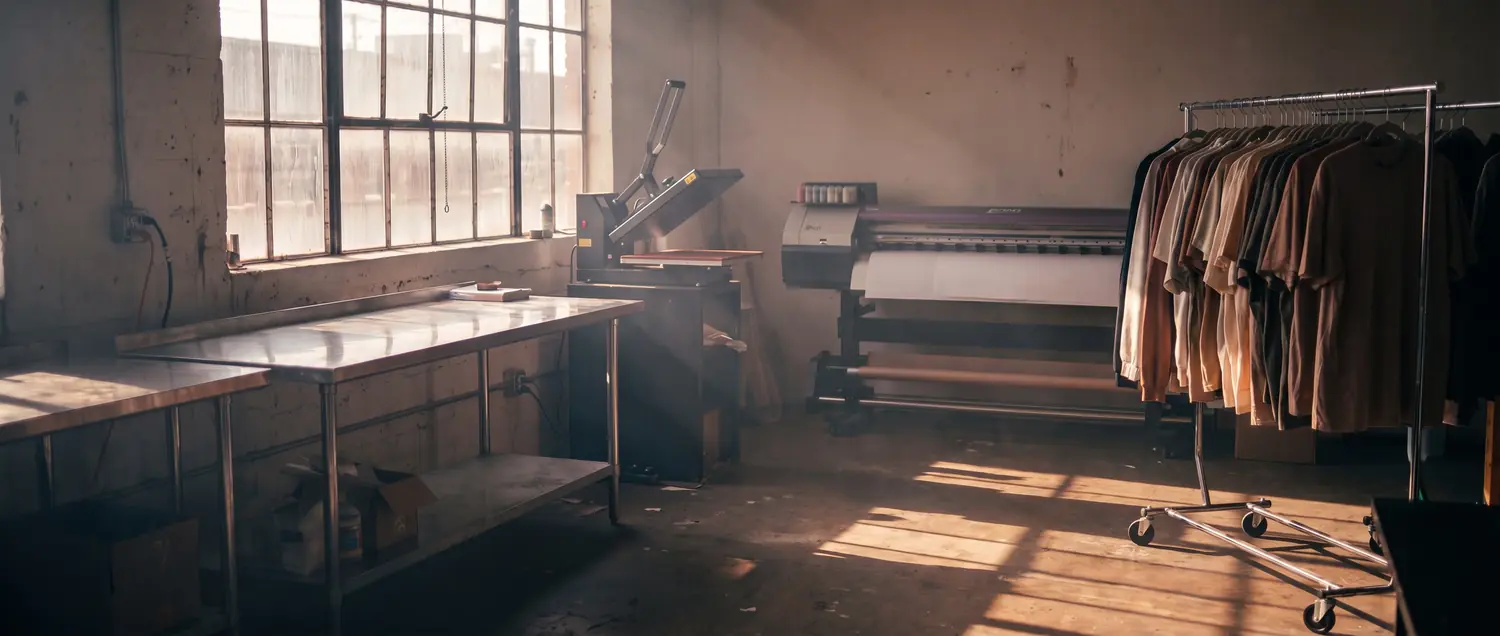
A small custom apparel print shop in the late afternoon — blank garments on a rack, a heat press and a wide-format printer.

White-label design builders for print shops

Your storefront designs it. Your shop floor prints it.

PrintKit adds custom-product design builders to your storefront — Shopify, WooCommerce, Wix, Squarespace, or any website. Shoppers design on-site, and every order lands on your bench print-ready: a file at up to 300 DPI, resolution-checked at upload, a work ticket, and a one-click Production Pack. No artwork emails. No re-typing specs.

Every custom order starts the same way. A customer emails a logo. It's the wrong size, or the wrong format, or it's a screenshot of a screenshot. You write back. They reply with the size they want, in words. Somebody re-types it onto a ticket. Somewhere between the inbox and the press, a detail goes missing.

PrintKit closes that gap by moving the design step onto your own storefront. The shopper picks the garment, the size, the print area, the cut shape, the roll width — whatever your shop actually offers, because you set it — and they see the price move as they go.

When they check out, the file is already right. It's sized to the press, checked for resolution at upload, and it arrives with a work ticket that carries the garment, the color, the placement and the quantity in the same words your bench already uses.

Payments stay yours. On Shopify it runs through your own checkout; everywhere else, through your own Stripe account or however you already collect. PrintKit never touches card data, and there are no transaction fees on your orders.

No artwork emails. No re-typing specs.

The difference between a quote and a job is usually a week of messages

The seven builders

One production pipeline, seven front doors

Turn on only the builders your shop runs. Each one lives on your storefront, adapts to your presses, print areas, roll widths and pricing — and hands every order to your bench print-ready.

01

Full Color

Shoppers pick the product, color, size and print area, then upload art or add text and position it with a live resolution check. Eight blanks built in — tees and hoodies on by default, with long sleeves, crewnecks, polos, hats, snapbacks and beanies one switch away — in every color and size you offer, shown on our stock photos or your own, at true scale.

You getA press-sized file at up to 300 DPI for DTG or DTF, plus a work ticket with garment, color, size and placement.
A t-shirt printed with the PrintKit logo, laid out on a workbench.
02

Sticker Sheet

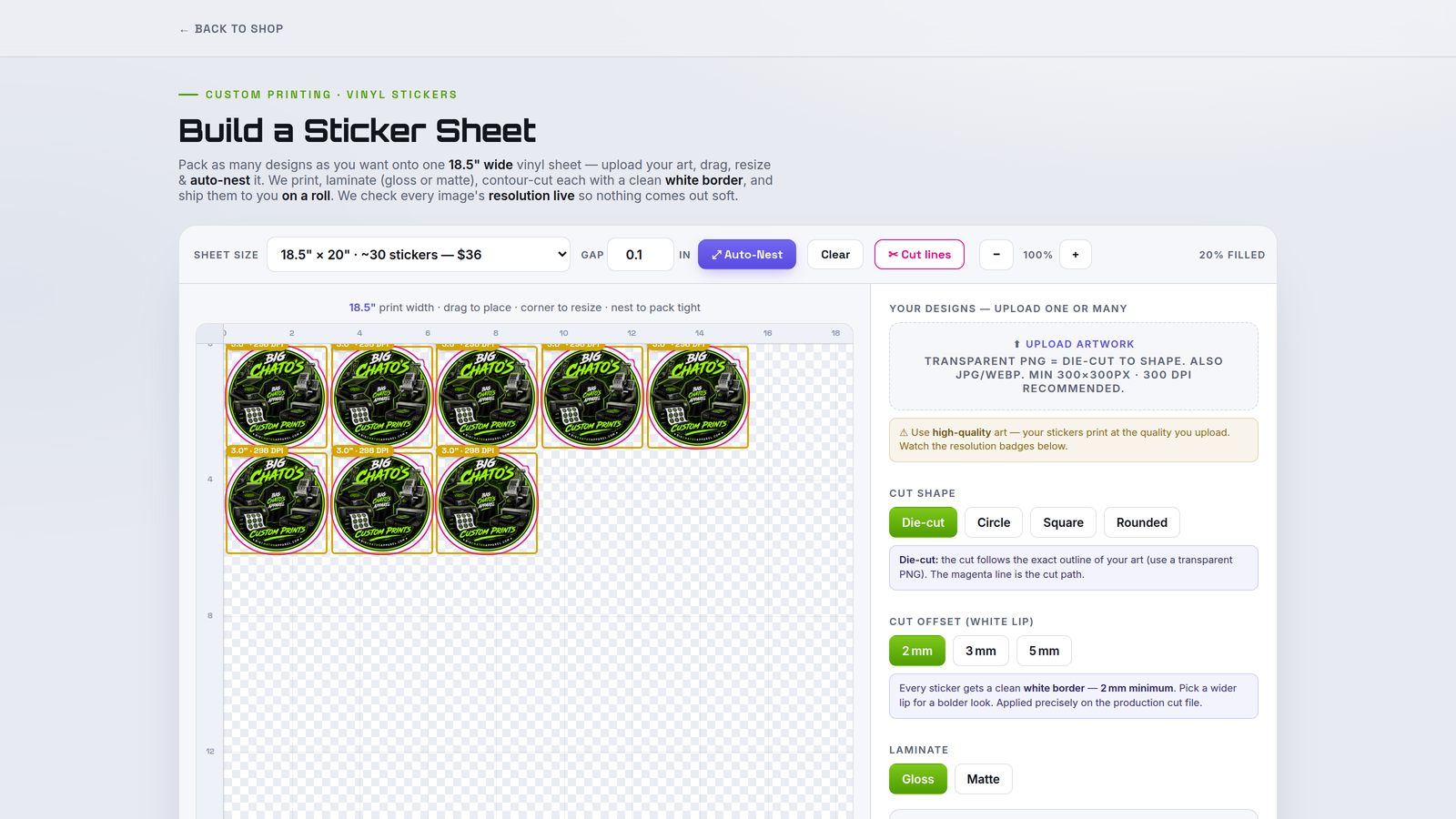
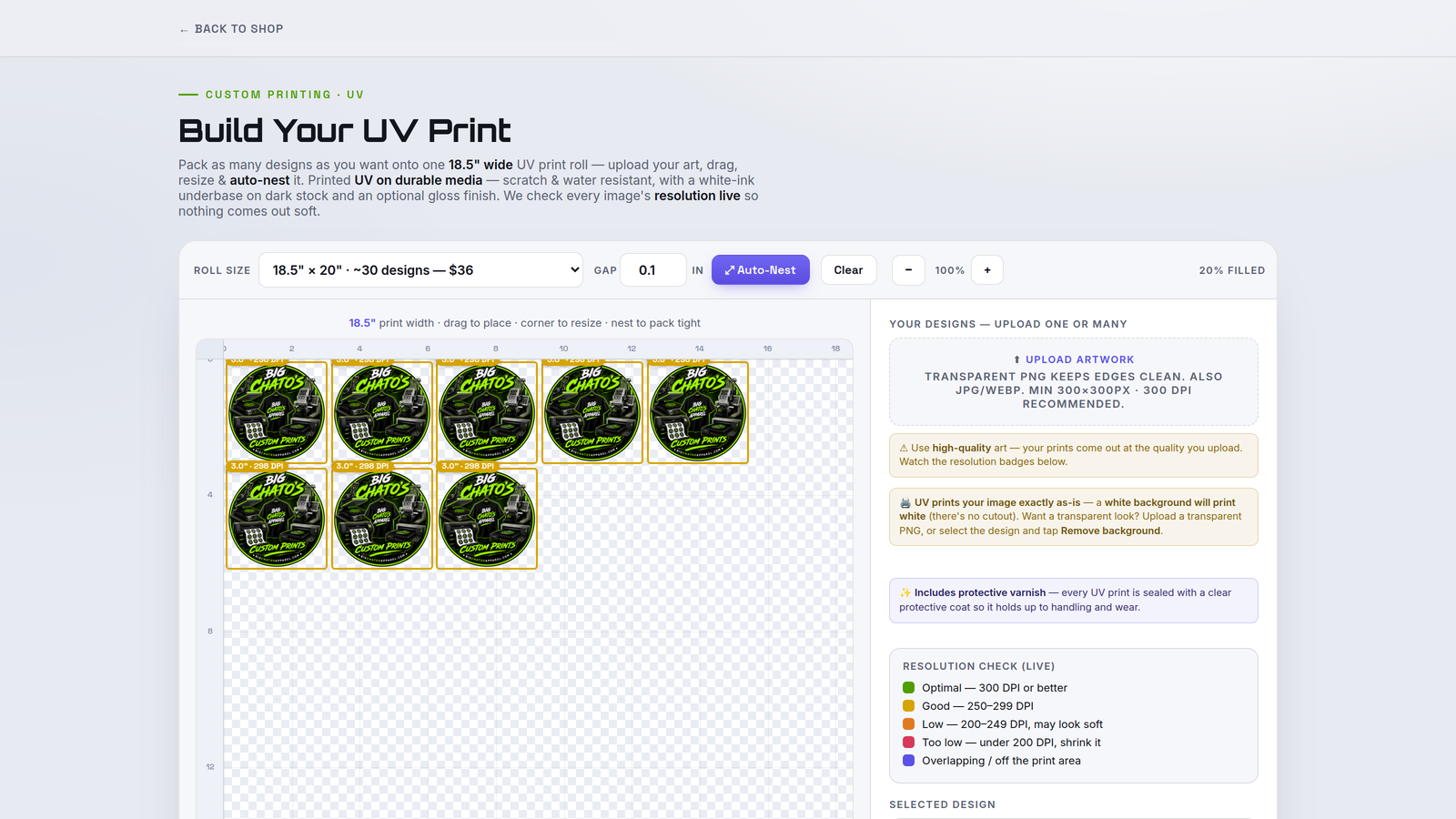
Any number of designs dropped onto a sheet at your print width and auto-nested tight, with cut shape, white-lip offset and laminate set on the page.

You getA nested, contour-ready file — cut line as a spot color for your cutter, or art-only for your own RIP.
The Sticker Sheet Builder nesting die-cut stickers on a sheet at the shop’s print width.
03

Single Sticker

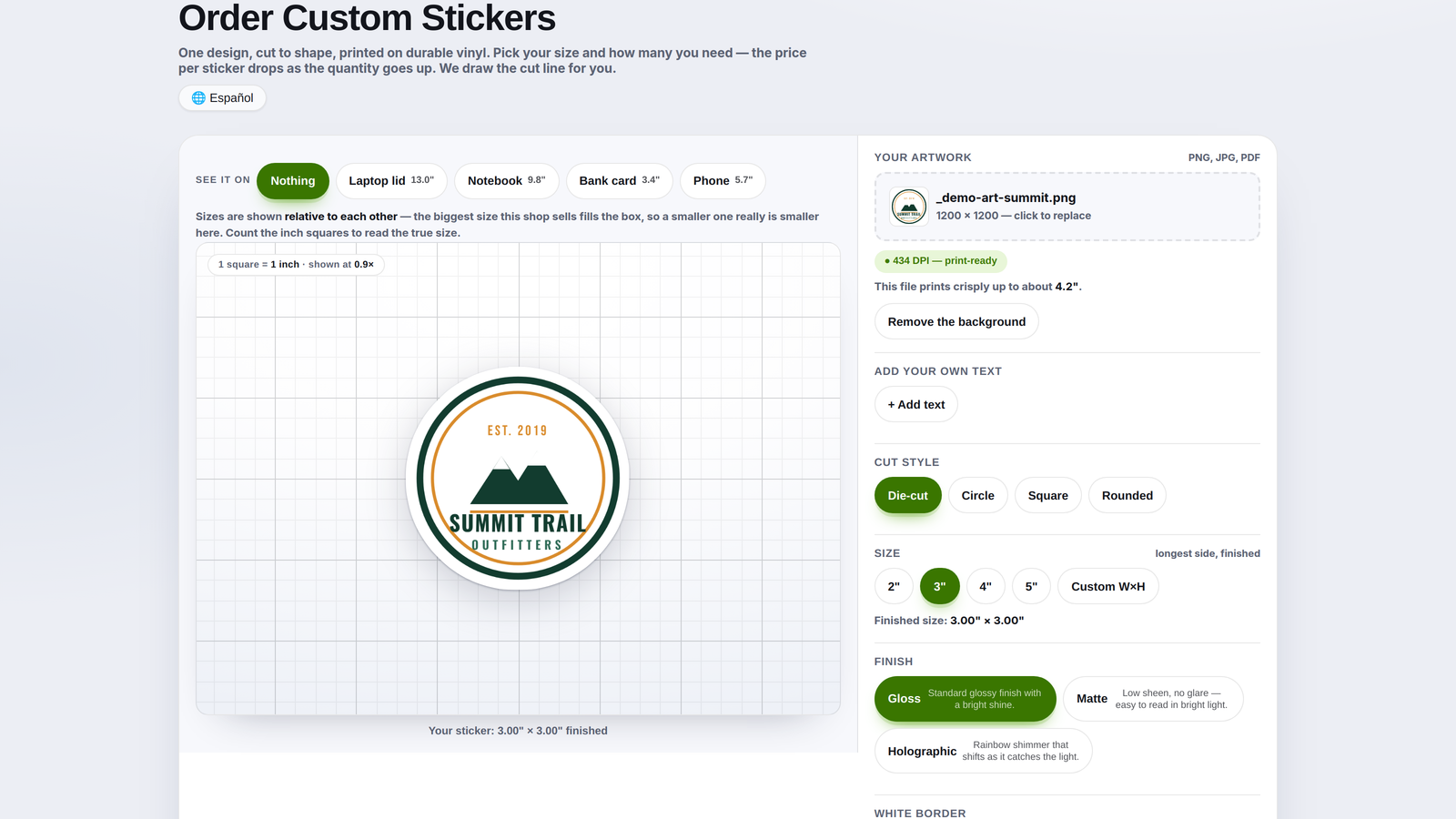
One design ordered in a run — size, cut shape and finish, shown at true scale on a labelled inch grid, with the per-sticker price dropping as the quantity climbs.

You getA die-cut-ready file with the contour drawn for you, plus a ticket carrying size, cut style, finish and quantity.
The Single Sticker Builder shown at true scale on an inch grid.
04

DTF Transfers & Gang Sheets

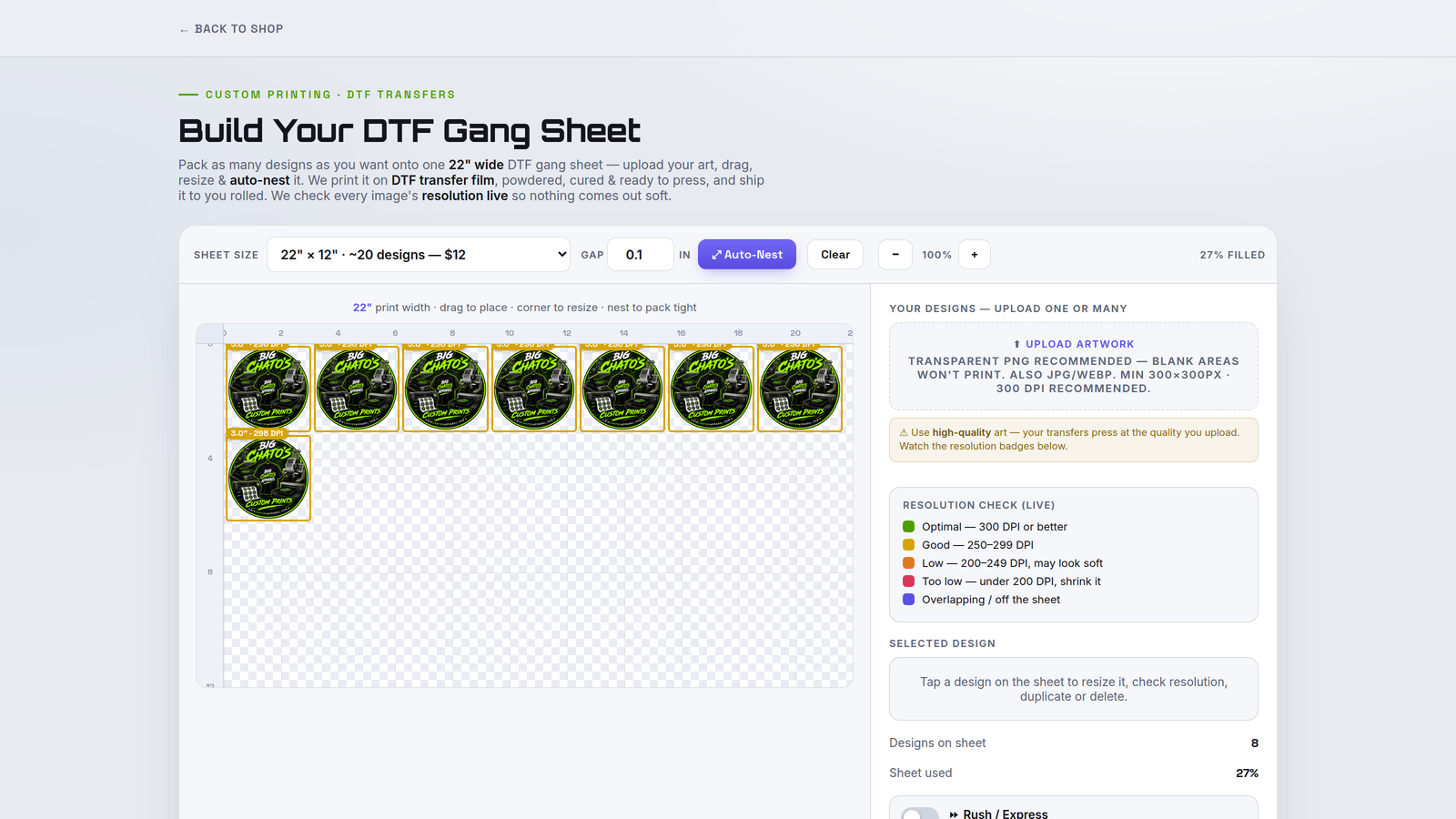
Shoppers fill a gang sheet with their transfers at your exact roll width, sizing each to real inches with a live DPI badge.

You getA packed, ready-to-print DTF file plus a ticket showing the sheet exactly as the customer laid it out.
The DTF Transfers & Gang Sheets builder packing transfers onto a gang sheet.
05

Embroidered Apparel

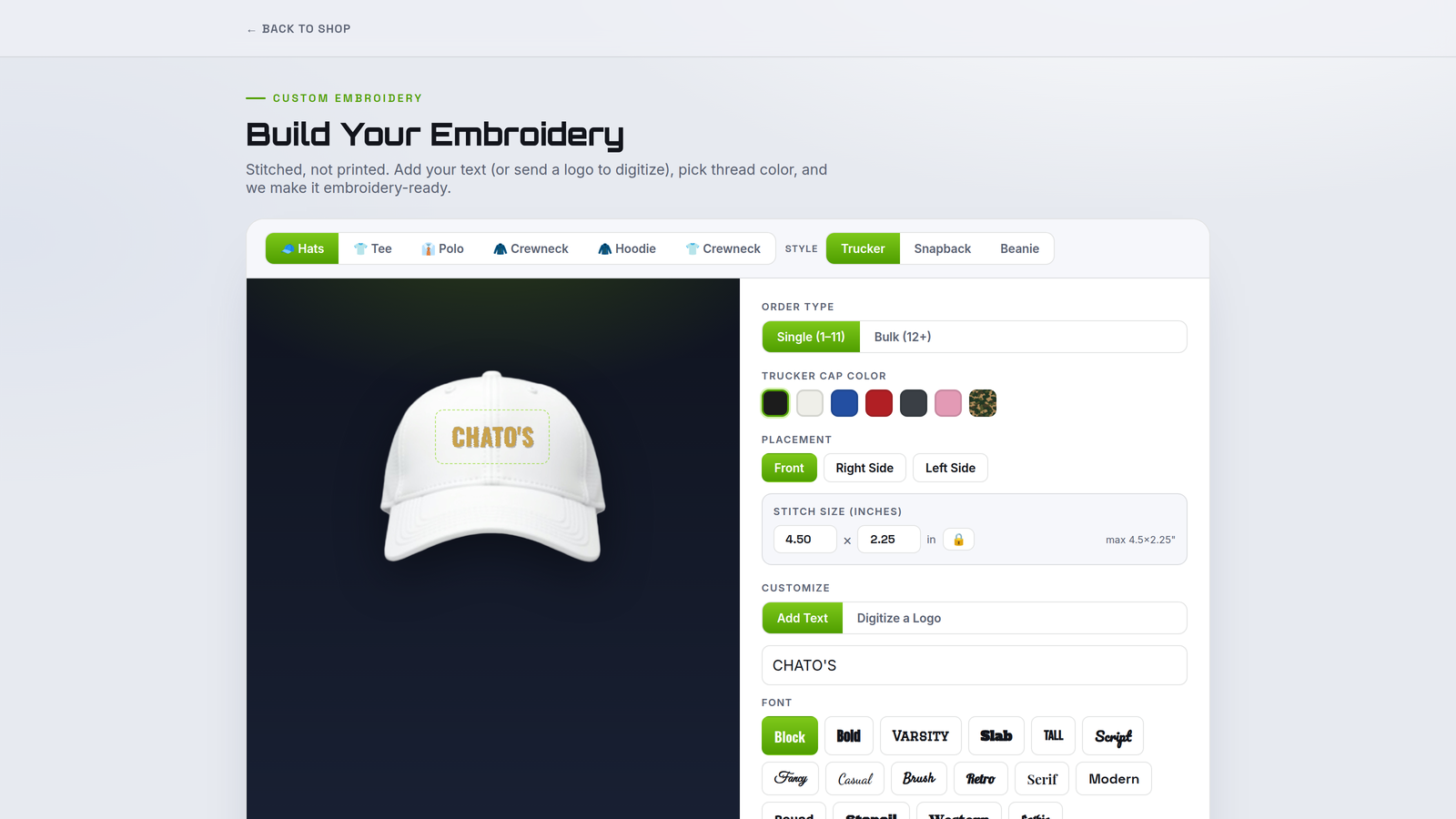
Garment, placement, size and thread colors, with the price updating live off your own rates and quantity tiers.

You getA spec sheet ready for digitizing — placement, dimensions, thread colors and the customer's art.

PrintKit doesn't produce stitch files; digitizing happens on your side or with your usual digitizer.

The Embroidered Apparel builder: garment, placement, stitch size and thread choices with a live price.
06

UV Roll

Shoppers lay out their images on a roll- or sheet-based system — whichever you choose at setup.

You getA print-ready UV file at your roll or sheet size, plus a work ticket for the job.

Print-only: it lays out and prints, and doesn't generate cut contours.

The UV Roll Builder laying out decals on a roll.
07

UV Substrate

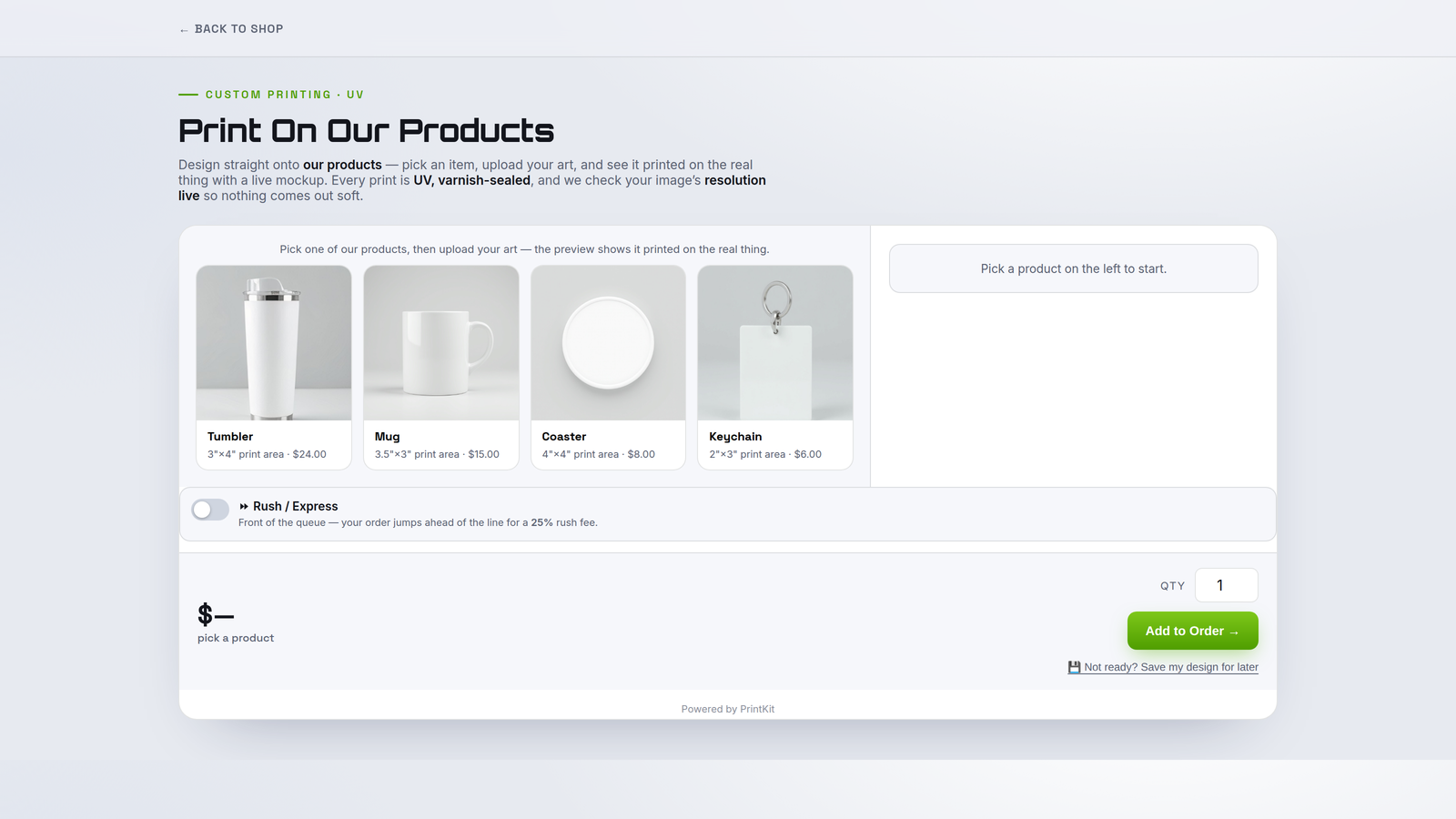
Tumblers, signs and panels from your own presets, with artwork dropped inside the safe area and sized to the real product.

You getA dimension-accurate print file mapped to the substrate, with a ticket listing product, size and finish.
The UV Substrate builder placing artwork on a mug mockup.

What it costs

Start with one builder. Add the others when you need them.

Pricing is the same on the Shopify app and on your own website, and every new subscription starts with a 14-day free trial (one per store). Annual billing works out to roughly two months free.

First builder$19per month, or $190 a year
Each additional+$12per month, or $120 a year
Free trial14 daysbefore anything is charged
Transaction feesNoneon any order you take

Every builder includes print-ready files at up to 300 DPI, shop-floor work tickets and Production Packs, and your own equipment, print areas and pricing presets. Cancel any time — annual renews yearly at the stated amount.

A print shop bench at the end of the day, finished garments boxed for shipping.

Wherever your store already lives

PrintKit is live on the Shopify App Store — and on any other website

A universal embed drops any builder onto WooCommerce, Wix, Squarespace, BigCommerce, Webflow or plain HTML. Paste one snippet and every finished design reaches you with the print-ready file attached — paid by card through your own connected Stripe account, or as a quote in your PrintKit portal. Running WooCommerce? Ask support for the PrintKit plugin and designs drop straight into your cart.